WiFi Attack
KARMA & Runkarma Attacks
Technical documentation on KARMA & Runkarma. Understand the attack technique and learn how to defend against...
Medium Threat
Intermediate
Unlike active scanning (where a device sends probe requests), KARMA operates purely by listening. The attacker puts their adapter in monitor mode and captures all probe requests from nearby devices — no transmission required. This makes KARMA:
- Completely invisible to WiFi IDS (unless they detect the monitor mode adapter itself)
- Legally ambiguous — in most jurisdictions, passive listening to radio waves isn't illegal because it doesn't involve "accessing" a system
- Extremely efficient — 30 minutes in a busy public space can capture thousands of probe requests from hundreds of devices
$ # Passive capture of probe requests using tcpdump

$ sudo tcpdump -i wlan1mon -ne -I | grep -E "Probe Request"


09:47:23.123456  Built-in WiFi > Broadcast, RA, TA: Broadcast

  [1c:99:47:8a:2d:11] Probe Request for [Corporate_VPN]

09:47:23.234567  Built-in WiFi > Broadcast, RA, TA: Broadcast

  [1c:99:47:8a:2d:11] Probe Request for [Home_Network_5G]

09:47:24.987654  Built-in WiFi > Broadcast, RA, TA: Broadcast

  [1c:99:47:8a:2d:11] Probe Request for [linksys]


[All from the same device — this person's entire WiFi history, passively captured]

[Device MAC: 1c:99:47:8a:2d:11 — this is a tracking identifier]
Runkarma Attack Sequence
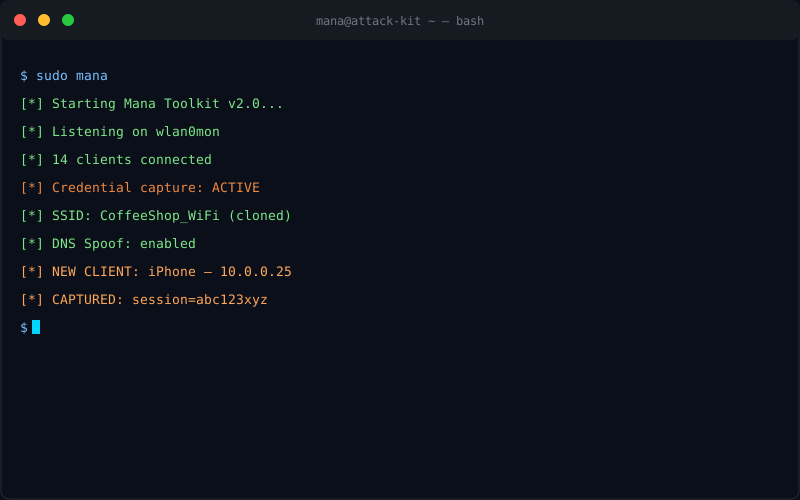
Runkarma builds on KARMA by not just listening, but responding to probe requests with a matching SSID. When the victim's device probes for "linksys," Runkarma immediately starts broadcasting "linksys" as an open network. The victim's device, seeing its saved network, connects automatically.
Runkarma Attack Sequence:
Passive Phase (KARMA):
[Attacker Pi] ←── probe request: "Home_Network_5G" ─── [Victim Device]
[Attacker Pi] ←── probe request: "Corporate_VPN" ─── [Victim Device]
[Attacker Pi] ←── probe request: "Starbucks_WiFi" ─── [Victim Device]
[All captured silently — no frames transmitted by attacker]
Active Phase (Runkarma):
[Attacker Pi] broadcasts SSIDs for all known networks from probe capture
[Attacker Pi] ←── Victim device connects to "Home_Network_5G" ───
[Victim auto-connects to attacker's AP — no deauth needed]
[No legitimate AP called "Home_Network_5G" was nearby]
[Victim connects because attacker's SSID matches saved network]
Real-World Reconnaissance Value
The intelligence gathered from KARMA is invaluable for targeted attacks:
- Identifying corporate networks: "ACME_Corp_WiFi" or "ACME_Secure" reveals employer and potentially internal network naming conventions
- Mapping home networks: Knowing someone's home router SSID can inform home network attacks
- Tracking individuals: The same device MAC appearing at different locations creates a movement profile
- Determining attack strategy: If the target's device probes for "Hotel_Guest_Net" at an airport, deploy an Evil Twin with that exact name
$ # kismet — the classic KARMA tool (now part of Mana Toolkit)

$ sudo kismet -i wlan1mon


[Kismet] Logging device tree to /var/log/kismet/

[Kismet] Detected new network: ESSID="CoffeeShop_WiFi" BSSID=DE:AD:BE:EF:00:01

[Kismet] Detected new client: AA:BB:CC:DD:EE:FF probing for 12 networks


# After 1 hour at a coffee shop — 847 devices detected

# 2,341 unique SSIDs captured

# 312 networks identified as corporate
Defense Against KARMA/Runkarma
The Hard Truth
You cannot fully prevent your device from sending probe requests for saved networks. This behavior is built into the 802.11 specification and every WiFi device does it. What you can do is: be aware of the risk, use a VPN on all public networks, and regularly audit which networks your devices have saved.
- Disable WiFi when not in use: The simplest defense — if WiFi is off, no probe requests are sent
- Use "Ask to Join" or similar settings: Some devices allow you to disable automatic network joining, reducing probe frequency
- Use a VPN at all times on public networks: Even if the attacker knows your saved networks, VPN encrypts all traffic
- Forget networks when you leave: Delete saved WiFi networks regularly, especially hotel, airport, and cafe networks
- SSID cloaking doesn't help against KARMA: Your device still sends probe requests with the SSID, even if it's hidden. Hidden SSIDs don't appear in beacon frames, but they appear in probe requests.
Understand the Threat. Build the Defense.
Learn how to protect yourself and your organization against Karma Runkarma attacks.